Cruise Internet and Connectivity
Do Cell Phones Work on Cruise Ships?
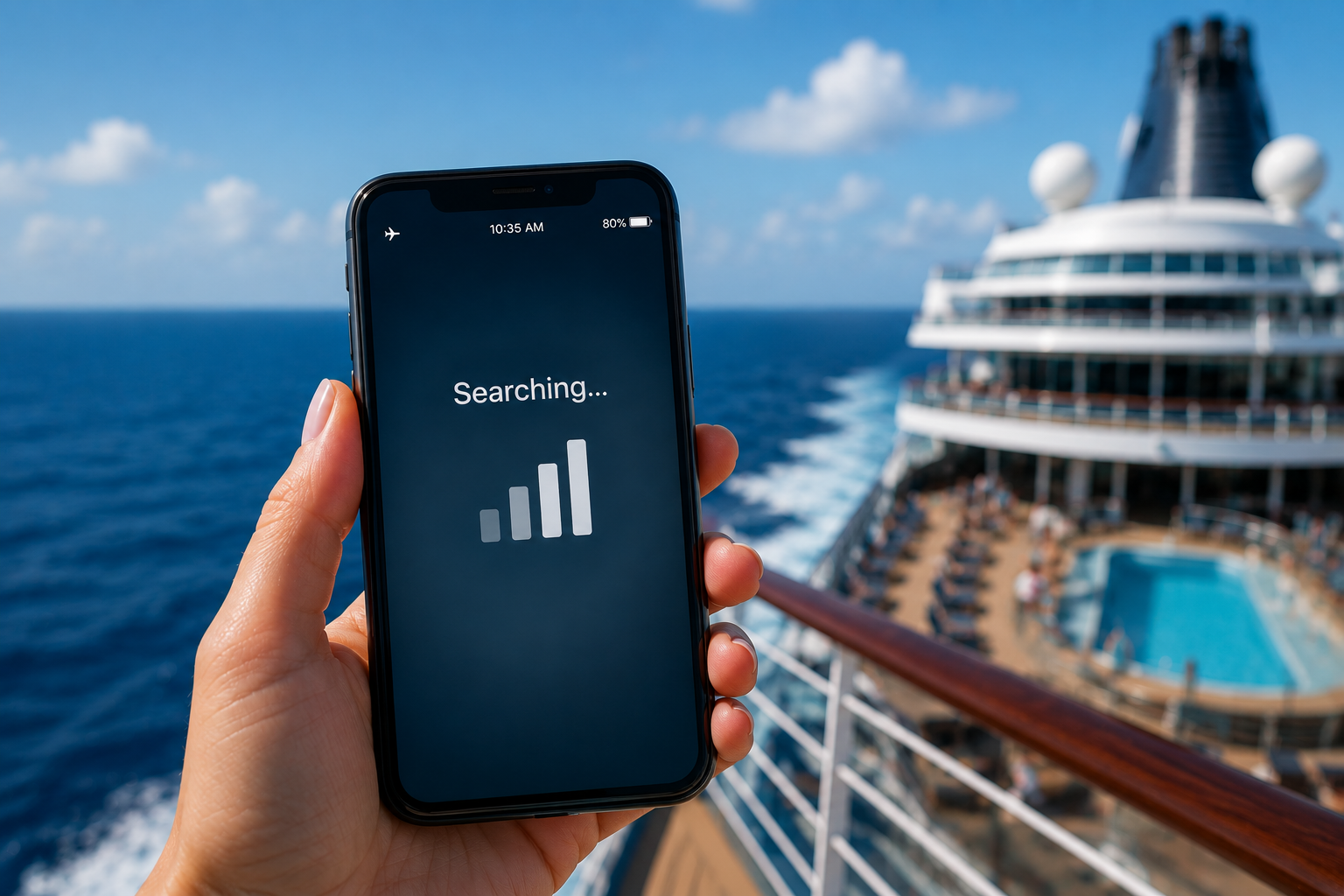
Wondering whether your cell phone will work on a cruise ship? The short answer is yes, but how it connects depends on whether you're in port or out at sea. Once your ship sails beyond the range of land-based cell towers, your phone can no longer rely on a regular mobile network and may connect to a maritime network instead, which can lead to expensive roaming charges if you're not prepared.
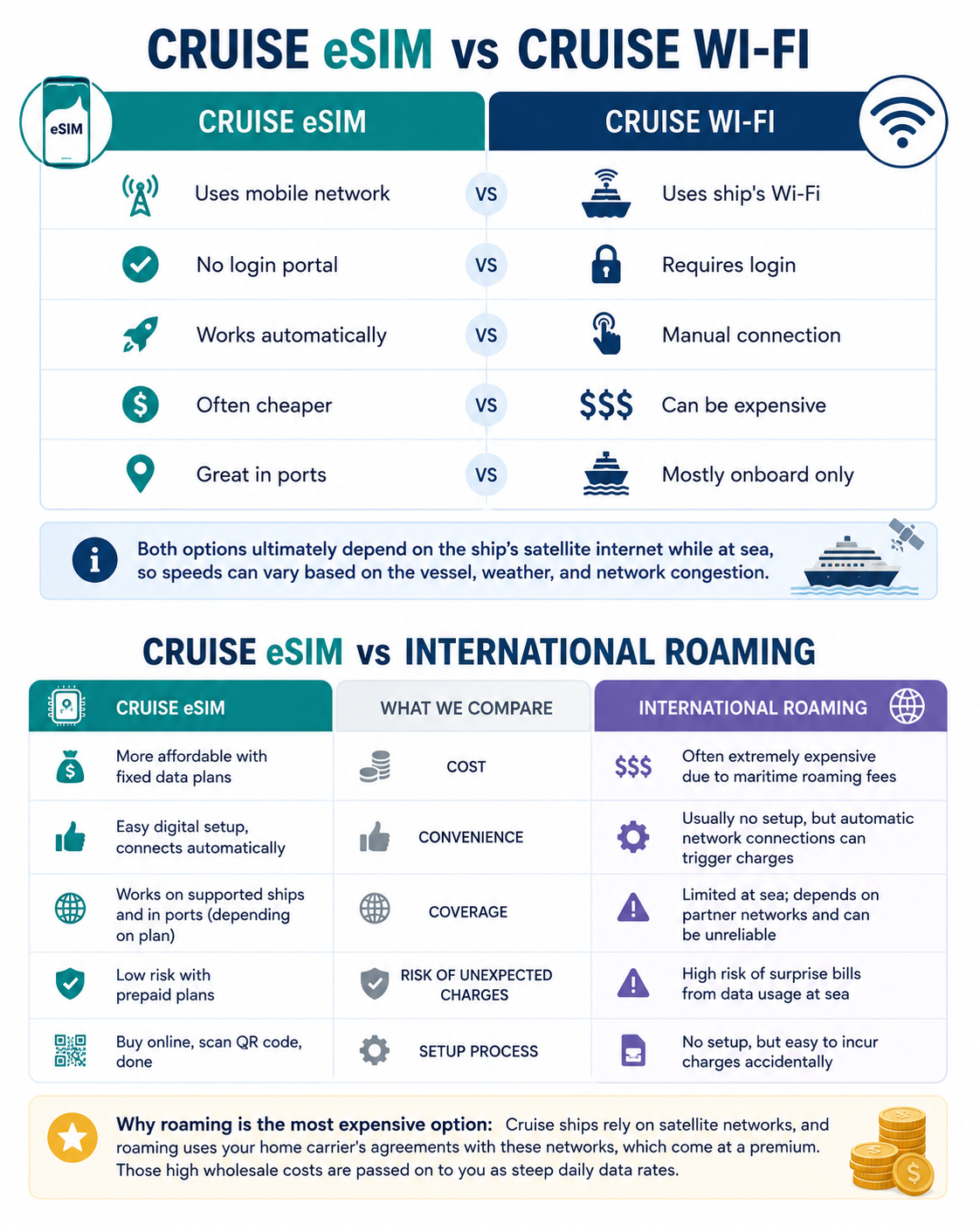
Fortunately, there are several ways to stay connected while cruising, including ship Wi-Fi and a cruise eSIM.
In this guide, we'll explain how cell phones work on cruise ships, when you can expect normal mobile service, how cruise eSIMs work, and the best ways to stay online without coming home to an unexpectedly high phone bill.
Do Cell Phones Work on Cruise Ships: The Short Answer
Yes, cell phones do work on cruise ships, but not in the same way they do on land.
Once your ship sails beyond the range of land-based cell towers, your phone can no longer connect to a regular mobile network.
Instead, you'll stay connected through one of several options:
the ship's maritime cellular network (which may result in roaming charges),
the cruise line's onboard Wi-Fi,
or a supported cruise eSIM that provides prepaid mobile data on compatible ships and itineraries.
Which option is best depends on where you are, how much data you need, and how you want to stay connected during your cruise.
Read more:
Why Regular Cell Service Doesn't Work Far From Shore
Your regular mobile service depends on land-based cell towers, which have a limited coverage area.
While the exact range varies depending on the tower, terrain, and weather conditions, most cellular signals only reach around 5 to 20 miles (8 to 32 km) offshore.
As your cruise ship sails farther from the coast, your phone eventually loses contact with your home carrier's network because it's simply too far away from any land-based tower. At that point, you'll typically see your signal disappear, or your phone will begin searching for another available network.
How Cruise Ships Provide Cell Service (“Cellular at Sea”)
Many cruise ships are equipped with onboard cellular systems that act like small floating cell towers.
Your phone connects to an antenna on the ship, and the ship then sends the signal through a satellite connection to mobile networks on land. Depending on the cruise line and provider, the network name may appear as Cellular at Sea, 901, WMS, or another maritime roaming network.
Your phone usually treats this as an international roaming connection rather than normal service from your home carrier. That means calls, texts, and mobile data may be charged at special maritime roaming rates, which are often much higher than regular international roaming. Even simple background activity, such as email syncing, app updates, cloud backups, or social media refreshing, can quickly create a large bill.
To avoid unexpected charges, check your carrier’s cruise roaming rates before departure. You can also keep Airplane Mode turned on and use ship Wi-Fi, or choose a supported cruise eSIM with prepaid maritime data and more predictable pricing.
Once you're beyond the range of coastal cell towers, your phone can only stay connected by using the ship's maritime cellular network, the cruise ship's Wi-Fi, or a supported cruise eSIM that works with maritime networks.
Read more: What Happens If You Leave Roaming On During a Cruise?
What Happens Near Port or the Coastline
As your cruise ship approaches land, your phone will usually disconnect from the ship's maritime network and reconnect to a nearby land-based mobile carrier. This often happens automatically before you dock, allowing you to use normal cellular service again if your carrier has coverage or a roaming agreement in that country.
While this is convenient, it can also lead to unexpected charges. If you're visiting another country and your phone automatically connects to a foreign mobile network, you may incur international roaming fees unless you have an international plan, a local, regional or global travel eSIM, or a cruise eSIM that includes coverage in that destination.
To avoid surprises, check which network your phone is connected to after arriving in port. If you don't want to use your home carrier abroad, keep data roaming turned off or use a supported cruise eSIM that automatically switches to included local mobile networks where available.
Read more: What Happens If You Leave Roaming On During a Cruise?
The Best Ways to Stay Connected Without Expensive Roaming Charges
The best way to avoid expensive roaming charges on a cruise is to plan ahead before you sail. Enabling Airplane Mode, disabling data roaming, using the ship's Wi-Fi, or choosing a supported cruise eSIM can all help you stay connected without relying on costly maritime roaming.
In many cases, the best way to save money on internet access during a cruise is to use a supported cruise eSIM instead of purchasing the ship's Wi-Fi package. Cruise eSIMs often cost less than onboard Wi-Fi while providing mobile data on supported ships and itineraries. They also use prepaid plans, so you know the cost before you travel and can avoid unexpected roaming charges.
If your cruise and destination are covered, a cruise eSIM can be one of the most affordable and convenient ways to stay connected at sea and in port.