Cruise eSIM Guides
What Is a Cruise eSIM and How Does It Work?

Staying connected on a cruise can be expensive if you rely on your mobile carrier's roaming or onboard Wi-Fi. A cruise eSIM offers a simpler and often more affordable way to access mobile data while you're at sea and when your ship arrives in port.
In this guide, you'll learn what a cruise eSIM is, how it works, which devices support it, how to set it up, and why it can be a better alternative to traditional roaming for your next cruise.
What is a Cruise eSIM?
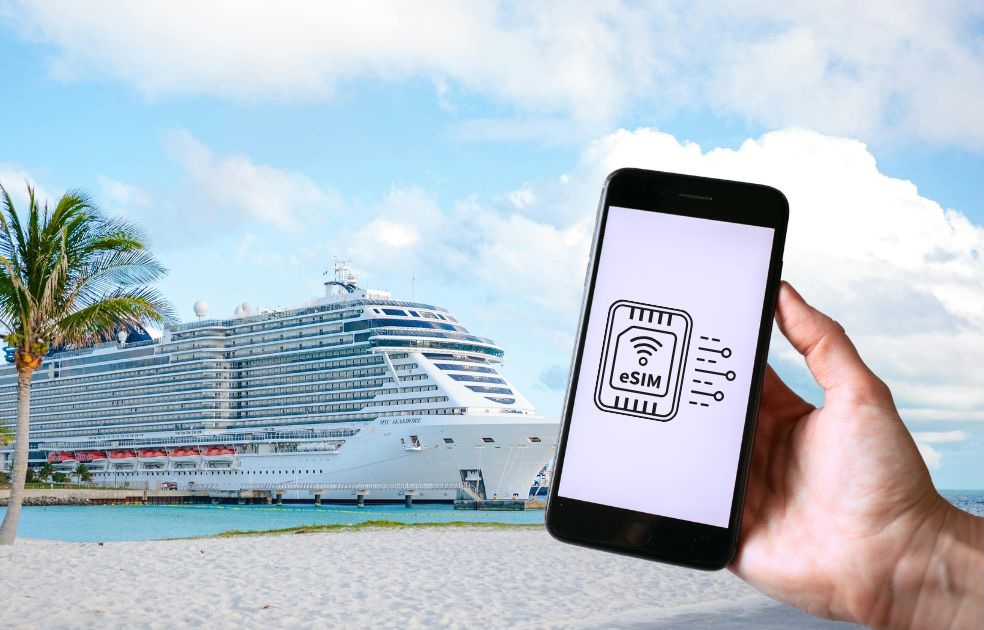
A cruise eSIM is a digital SIM card that gives you mobile data while you're on a cruise.
Instead of inserting a physical SIM card, you install the eSIM on your phone by scanning a QR code. Once it's activated, your device can connect to supported networks automatically.
Unlike a regular travel eSIM, which only works on land, a cruise eSIM is designed to work both at sea and, in many cases, in port. When your ship is sailing, it connects to supported maritime networks. When you arrive in port, many cruise eSIMs automatically switch to local mobile networks, so you can stay connected without changing SIM cards.
Setting up a cruise eSIM is quick and only takes a few minutes. You can install it before your trip, keep your existing SIM card in your phone, and use your regular phone number if your device supports Dual SIM (eSIM + regular SIM).
A cruise eSIM is a convenient alternative to expensive roaming and onboard cruise Wi-Fi. It lets you stay connected throughout your journey with predictable pricing and no physical SIM card to replace.
How Does a Cruise eSIM Work?
A cruise eSIM works much like any other eSIM, but it's designed to keep you connected while you're at sea. After you install it on your phone, it automatically connects to supported networks during your cruise. There's no physical SIM card to insert or replace, and you don't need to switch networks manually.
Before Your Cruise
Purchase a cruise eSIM from an online provider and choose a plan that matches your cruise itinerary. After checkout, you'll receive a QR code and installation instructions by email.
Install the eSIM before you board by scanning the QR code in your phone's mobile network settings. This only takes a few minutes, and you can keep your existing SIM card in your phone. Depending on the provider, your eSIM may activate immediately or when it first connects to a supported network.
While You're at Sea
Once your ship is within a supported coverage area, your phone automatically connects to a maritime network. These networks use satellite technology to provide internet access when you're far from land.
As long as your cruise eSIM is selected for mobile data, everything happens automatically. You can use apps like WhatsApp, browse the web, check emails, and stay connected throughout your voyage. Keep in mind that speeds may vary depending on satellite coverage, weather, and network congestion.
When You're in Port
Some cruise eSIMs also include mobile data on land. When your ship arrives in port, your phone can automatically switch from the maritime network to a local partner mobile network.
There's no need to change SIM cards or adjust your settings. If your plan includes land coverage, you'll stay connected as you explore each destination, making it easy to use maps, book transportation, and keep in touch throughout your trip.
How to Set Up an eSIM for Cruise?
Setting up a cruise eSIM is usually quick and only takes a few minutes. The exact steps may vary slightly depending on your phone model and eSIM provider, but the general process is the same for most devices.
1. Purchase the eSIM
First, choose a cruise eSIM plan that matches your cruise route, travel dates, and data needs. Make sure the plan includes coverage for the areas where your ship will be sailing, as well as any ports you plan to visit. After purchase, the provider will usually send you a QR code and installation instructions by email.
Read more: How to Buy an eSIM for Cruise
2. Check Device Compatibility
Before installing the eSIM, confirm that your phone supports eSIM technology. Most newer iPhones, Google Pixel phones, Samsung Galaxy models, and selected Android devices support eSIM, but not every phone does. Your device must also be unlocked, meaning it can use mobile plans from providers other than your regular carrier.
Read more: Which Phones Support eSIM for Cruise
3. Install via QR Code
Open your phone’s mobile network or cellular settings and choose the option to add a new eSIM or mobile plan. Then scan the QR code provided by your cruise eSIM provider. Your phone will download and save the eSIM profile digitally, so there is no need to insert or replace a physical SIM card.
4. Enable the eSIM
Once the eSIM is installed, make sure it is turned on in your phone settings.
You may want to name it something simple, such as “Cruise eSIM” or “Travel Data,” so it is easy to recognize during your trip.
5. Select It for Mobile Data
Next, choose your cruise eSIM as the SIM used for mobile data.
This tells your phone to use the cruise eSIM for internet access instead of your regular home SIM. You can usually keep your normal SIM active for calls and text messages if your phone supports Dual SIM.
6. Turn On Data Roaming if Required
Some cruise eSIMs require data roaming to be enabled in order to connect to partner networks. This is normal for many travel eSIMs. Make sure data roaming is turned on only for the cruise eSIM, not your home SIM, to avoid unexpected roaming charges from your regular mobile carrier.
7. Test Before Sailing
It is best to install and check your eSIM before your cruise begins while you still have a stable internet connection. Some plans may not fully activate until you reach the coverage area, but you can still confirm that the eSIM has been installed correctly and appears in your phone settings. This helps you avoid setup issues once you are already at sea.
Read more: How to Activate Your eSIM Before Boarding?
Benefits of Using a Cruise eSIM
A cruise eSIM offers a convenient and cost-effective way to stay connected during your trip.
Here are some of the biggest benefits.
Avoid Expensive Roaming Charges
Using your home carrier at sea can result in high roaming fees. A cruise eSIM gives you a dedicated data plan with predictable pricing, helping you avoid unexpected charges when you receive your phone bill.
Stay Connected Throughout Your Voyage
A cruise eSIM provides mobile data while you're sailing and, with many plans, when you're in port as well. This means you can stay connected throughout your trip without relying solely on the ship's Wi-Fi.
Easy Online Installation
Everything is done digitally.
After purchasing your eSIM, you'll receive a QR code that you can scan to install the plan on your device. The setup process usually takes just a few minutes.
No Physical SIM Card Required
Because the eSIM is built into your phone, there's no need to remove your existing SIM card or wait for a new one to be delivered.
This makes switching to a cruise eSIM simple and hassle-free.
Keep Your Regular Phone Number
If your phone supports Dual SIM, you can keep your regular SIM active for calls and text messages while using the cruise eSIM for mobile data.
Use Dual SIM
Most modern smartphones support Dual SIM, allowing you to use two SIM profiles at the same time. This lets you separate your home mobile service from your cruise data plan without constantly changing settings.
One Plan for Multiple Destinations
Many cruise eSIMs cover both maritime networks and multiple countries along your itinerary. Instead of buying a new SIM card in every destination, one eSIM can keep you connected for your entire cruise.
Often Cheaper Than Cruise Wi-Fi
For messaging, email, social media, maps, and general web browsing, a cruise eSIM can often be a more affordable option than purchasing a ship Wi-Fi package. Many travelers choose to use a cruise eSIM for everyday internet access and only purchase onboard Wi-Fi if they need faster speeds for streaming or work.
Common Questions About Cruise eSIMs
Can I still use my normal phone number?
Yes. If your phone supports Dual SIM, you can keep your regular SIM active for calls and text messages while using the cruise eSIM for mobile data.
Do I remove my physical SIM?
No. An eSIM is installed digitally, so there's no need to remove or replace your physical SIM card.
Read more: Can I Use My Regular SIM and Cruise eSIM at the Same Time?
Can I make phone calls?
Most cruise eSIMs are data-only plans and do not include traditional voice calls or SMS. However, you can make internet-based calls using apps like WhatsApp, FaceTime, or Messenger.
Does WhatsApp work?
Yes. As long as you have an active data connection, WhatsApp works normally for messaging, voice calls, and video calls.
Will it work on every cruise ship?
Not necessarily. Coverage depends on your eSIM provider and the maritime networks they support. Always check that your cruise route and ship are included before purchasing.
Can I install the eSIM before my cruise?
Yes. In fact, it's recommended to install your eSIM before boarding so everything is ready before you set sail.
Do I need internet to install the eSIM?
Yes. You'll need an internet connection to download and install the eSIM profile on your device. After installation, your plan will activate according to your provider's terms.
What Are the Best eSIMs for Cruises?
The best cruise eSIM depends on your itinerary, budget, and data needs. Look for a provider that offers coverage on maritime networks as well as mobile networks in the ports you'll visit. Important factors to compare include coverage areas, data allowances, pricing, activation process, and customer support.
For travelers who want reliable connectivity at sea, choosing a cruise-specific eSIM is usually a better option than relying on expensive international roaming or purchasing separate SIM cards for each destination.
Featured photo from Jose Parra, Pexels