Cruise Internet and Connectivity
How to Work Remotely From a Cruise Ship
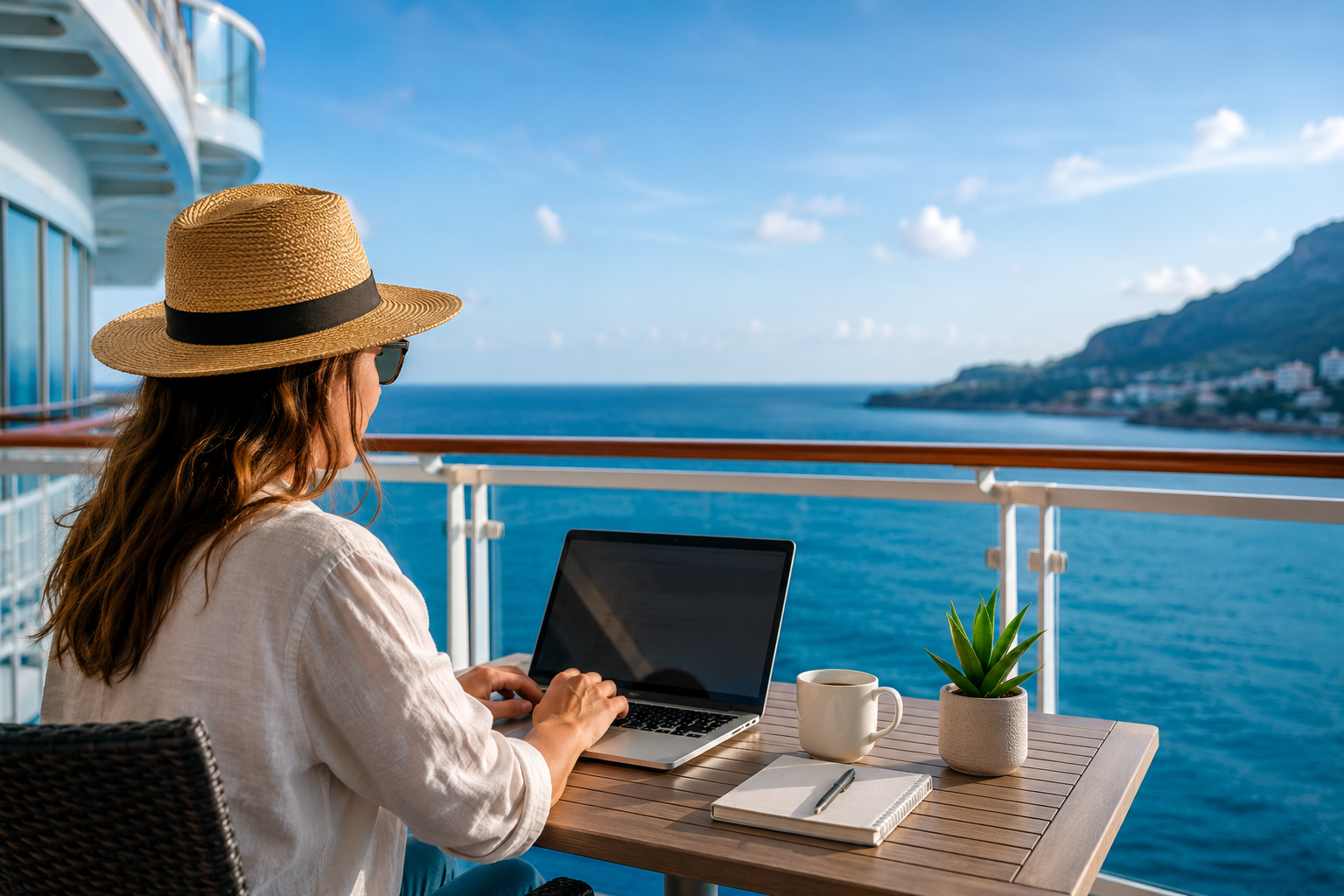
Working remotely from a cruise ship is more practical than ever. Thanks to faster satellite internet, onboard Wi-Fi, and cruise eSIMs on supported ships and itineraries, many remote workers can stay connected while sailing between destinations.
The biggest challenges are internet reliability and cost, as speeds and pricing vary by cruise line, ship, and location. In this guide, you'll learn how to choose the right connectivity option, stay productive at sea, and avoid common pitfalls when working from a cruise ship.
Can You Really Work Remotely From a Cruise Ship?
Yes, you can work remotely from a cruise ship—but your experience will depend on several factors. Modern cruise ships offer much better internet than they did just a few years ago, making it possible to answer emails, attend online meetings, manage projects, and even work full-time while traveling. However, not every cruise provides the same level of connectivity, so it's important to plan ahead.
The Cruise Line Matters
Some cruise lines have invested heavily in faster satellite internet, while others still offer slower or more limited connections. Before booking, check what internet packages are available and read recent reviews from passengers who have worked onboard.
Internet Quality Is Key
Your ability to work depends largely on the quality of your internet connection. While onboard Wi-Fi is generally suitable for everyday tasks like email, messaging, and web browsing, activities such as video calls or uploading large files may be slower during busy periods when many passengers are online.
Your Type of Work Makes a Difference
Not every remote job has the same internet requirements. Writers, marketers, developers, virtual assistants, and customer support professionals can often work comfortably from a cruise ship. Jobs that rely on constant high-quality video conferencing, cloud-based editing, or frequent large file transfers may be more challenging.
Time Zones Can Affect Your Schedule
As your cruise travels between destinations, the ship may change time zones. This can make scheduling meetings with clients or colleagues more complicated, especially if you work with teams in another part of the world. Planning your work hours in advance can help avoid missed meetings.
At Sea vs. In Port
Your connection may also vary depending on whether the ship is sailing or docked. While at sea, you'll typically rely on the ship's satellite internet or a supported cruise eSIM. Once the ship arrives in port, you may be able to connect to faster local mobile networks using a compatible cruise eSIM or travel eSIM, making it an ideal time for bandwidth-intensive tasks such as video meetings, backups, or large uploads.
Thanks to these connectivity improvements, more digital nomads, freelancers, entrepreneurs, and remote employees are choosing to combine work with travel. With the right cruise, internet plan, and realistic expectations, working remotely from a cruise ship is entirely possible.
Read more: Will My eSIM Work When the Cruise Arrives in Port?
Understanding Internet on Cruise Ships
Unlike on land, cruise ships can't connect to traditional mobile phone towers while sailing far offshore. Instead, they rely on satellite internet to provide onboard Wi-Fi and other internet services. This allows passengers to browse the web, send messages, attend online meetings, and access cloud-based applications even when the ship is hundreds of miles from land.
In recent years, internet at sea has improved dramatically. Many major cruise lines have upgraded from older geostationary satellite systems to low-Earth-orbit (LEO) satellite networks, which offer lower latency, faster download speeds, and a more reliable connection. As a result, activities that were once difficult—such as video calls, streaming, and remote work—are now much more practical on many ships.
However, cruise ship internet is still different from the broadband connection you have at home. Because every passenger shares the same satellite connection, performance can fluctuate throughout the day.
Several factors can affect your internet speed:
Weather: Heavy rain and storms can occasionally interfere with satellite signals.
Ship location: Connections may vary depending on where the ship is sailing and satellite coverage in that region.
Passenger demand: Speeds often slow during peak hours when many people are online at the same time.
Network congestion: Bandwidth is shared across the entire ship, so busy days can affect overall performance.
For most remote workers, today's cruise internet is more than adequate for everyday tasks such as checking email, browsing the web, using messaging apps, managing projects, and participating in occasional video meetings. However, if your work depends on uninterrupted high-speed internet or frequent uploads of large files, you should expect occasional slowdowns and plan your workflow accordingly. Download important files before sea days, save work offline when possible, and take advantage of faster local mobile networks when your ship is docked in port.
Read more: How Cruise Ship Internet Works
Cruise Wi-Fi vs Cruise eSIM vs International Roaming
There are three main ways to stay connected while working from a cruise ship: onboard cruise Wi-Fi, a cruise eSIM, or your home carrier's international roaming service. Each option has its own advantages, costs, and limitations, so choosing the right one depends on where you'll be using your phone and the type of work you'll be doing.
Cruise Wi-Fi is the most widely available option because almost every major cruise line offers internet packages. A cruise eSIM can be a more convenient alternative on supported ships, allowing your phone to connect automatically to maritime networks at sea and local mobile networks in covered destinations. International roaming requires no additional setup, but it is often the most expensive option and can lead to unexpectedly high bills if your phone connects to a maritime network.
The table below compares the three options.
Feature | Cruise Wi-Fi | Cruise eSIM | International Roaming |
|---|---|---|---|
Works while at sea | ✅ Yes | ✅ On supported ships | ⚠️ Yes, but often at very high roaming rates |
Works in port | ⚠️ Only while connected to the ship's Wi-Fi | ✅ Yes, in covered destinations | ✅ Yes |
Uses mobile data | ❌ No | ✅ Yes | ✅ Yes |
No physical SIM swap | ✅ Yes | ✅ Yes | ✅ Yes |
Automatic connection | ❌ Must connect to the ship's Wi-Fi network | ✅ Connects automatically when coverage is available | ✅ Automatic |
Supports messaging and email | ✅ Yes | ✅ Yes | ✅ Yes |
Suitable for video meetings | ✅ Usually, depending on internet quality | ⚠️ Depends on network coverage and speed | ⚠️ Depends on carrier and signal |
Best for long cruises | ✅ Yes | ✅ Yes | ❌ Usually too expensive |
Typical cost | Often expensive, sold as daily or voyage packages | Fixed plan pricing | Can become extremely expensive |
For more information, check out our comparison articles:
Is Cruise Wi-Fi Fast Enough for Remote Work?
Yes, for most remote workers, cruise Wi-Fi is fast enough for everyday tasks. Modern cruise ships use satellite internet that can support email, messaging, web browsing, cloud-based apps, and occasional video meetings.
However, speeds vary depending on the cruise line, ship, weather, and how many passengers are online. Since everyone shares the same connection, internet performance may slow during busy periods.
Cruise Wi-Fi is generally suitable for:
Email and messaging
Web browsing
Project management tools
Cloud-based work
Occasional Zoom, Google Meet, or Microsoft Teams calls
More demanding tasks, such as uploading large files, live streaming, or frequent video meetings, may be less reliable.
If possible, schedule bandwidth-heavy work while your ship is in port, where you can often use faster local mobile networks with a travel or cruise eSIM. With realistic expectations and a bit of planning, cruise Wi-Fi is sufficient for many remote jobs.
Can I Use a Cruise eSIM While Working Remotely?
Yes, a cruise eSIM can be an excellent option for remote work, provided your cruise ship, itinerary, and device are supported. Unlike traditional roaming, a cruise eSIM offers predictable pricing and can connect your phone to supported maritime networks while at sea and local mobile networks when your ship arrives in covered ports.
This allows you to stay connected without swapping physical SIM cards or purchasing separate plans for every destination. You can use a cruise eSIM for tasks such as checking email, messaging colleagues, accessing cloud-based apps, and, depending on network quality, joining video meetings.
Keep in mind that coverage varies by provider. Not every cruise line or ship supports maritime eSIM service, and connection quality depends on the ship's satellite internet and local network availability. Before purchasing a plan, always check that your cruise line, ship, and itinerary are included in the provider's coverage list.
For many remote workers, a cruise eSIM is a convenient alternative to expensive international roaming and can help reduce connectivity costs throughout the trip.
How Reliable Is Video Calling at Sea?
If your job involves regular online meetings, you'll be happy to know that video calls are now possible on many modern cruise ships. Thanks to improvements in satellite internet, platforms such as Zoom, Google Meet, and Microsoft Teams often work surprisingly well, especially on ships equipped with newer low-Earth-orbit satellite networks.
That said, a cruise ship's internet connection isn't as consistent as the broadband connection you have at home. Every passenger onboard shares the same satellite bandwidth, so call quality can change throughout the day. You may experience occasional delays, reduced video quality, or brief connection interruptions, particularly during peak hours when many people are online.
Zoom
Zoom generally performs well for one-on-one meetings and small group calls on ships with high-speed internet. If your connection becomes unstable, turning off your camera can significantly improve call quality and reduce the chance of dropped connections.
Google Meet
Google Meet has similar internet requirements to Zoom and works well for most business meetings. If bandwidth is limited, switching to audio-only mode or lowering your video quality can help keep the meeting running smoothly.
Microsoft Teams
Microsoft Teams is commonly used by businesses and usually works without major issues on modern cruise ships. However, large meetings with screen sharing and multiple video feeds require more bandwidth and may not perform as smoothly during busy periods.
Tips for More Reliable Meetings
If you regularly attend online meetings while cruising, a few simple habits can make a big difference:
Schedule important meetings during quieter hours if your work schedule allows.
Join the meeting a few minutes early to test your connection.
Turn off your camera if video quality becomes poor.
Use audio-only mode for the most reliable experience.
Download presentations or documents before the meeting rather than relying on cloud access.
Have a backup plan, such as reconnecting through a supported cruise eSIM or local mobile network when the ship is in port.
For most remote workers, occasional video meetings are entirely manageable on today's cruise ships. However, if your role depends on several hours of uninterrupted video conferencing every day, you should choose a cruise line with a strong reputation for internet performance and be prepared for occasional fluctuations in connection quality.
Working While the Ship Is in Port
For many remote workers, port days are the best time to get work done. Once your cruise ship docks, you'll usually have access to faster and more stable internet options than you do while sailing. Instead of relying solely on the ship's satellite connection, you may be able to connect to local mobile networks or use high-speed Wi-Fi on shore.
If your work involves video meetings, uploading large files, syncing cloud storage, or downloading software updates, it's often worth planning these tasks for the time your ship is in port.
Cruise eSIMs
Some cruise eSIMs automatically switch from maritime networks to local mobile networks when your ship arrives in a supported destination. This transition usually happens without changing any settings, allowing you to continue using mobile data as soon as local coverage becomes available.
Since local cellular networks generally offer lower latency and faster speeds than satellite internet, you'll often notice a significant improvement in performance while docked.
Local Travel eSIMs
If your cruise eSIM doesn't include the countries on your itinerary, a local or regional travel eSIM can be an excellent alternative. These plans often provide larger data allowances at lower prices than onboard Wi-Fi, making them ideal for remote workers who need reliable mobile internet while exploring each destination.
This option is particularly useful if you're spending several hours—or even a few days—in each port before continuing your journey.
Cafés With Wi-Fi
Many cafés near cruise terminals offer free or low-cost Wi-Fi for customers. If you only need to answer emails, join a short meeting, or complete a few online tasks, buying a coffee and working from a nearby café can be a simple and affordable solution.
Before relying on public Wi-Fi, make sure the connection is stable enough for your work and avoid accessing sensitive information without using a VPN.
Port Terminals
Some cruise terminals provide free Wi-Fi for passengers, although speeds and reliability vary widely. These networks can be convenient for quick tasks like checking email or sending messages, but they're often crowded when multiple ships arrive at the same time.
Coworking Spaces
If your cruise stops in larger cities, you may find coworking spaces within a short taxi or public transport ride from the port. These spaces typically offer high-speed internet, comfortable desks, meeting rooms, and a quieter environment than a busy café.
For remote workers planning a longer stay before or after their cruise, coworking spaces can provide an excellent place to catch up on important work.
Plan Your Work Around Port Days
Many experienced remote workers intentionally schedule their most bandwidth-intensive tasks while the ship is docked. Activities such as large file uploads, cloud backups, software updates, video conferencing, and downloading project files are usually faster and more reliable on local mobile networks or shore-based Wi-Fi than over the ship's satellite internet.
By organizing your workload around the cruise itinerary, you can make the most of fast connections in port while reserving lighter tasks—such as writing, email, planning, or project management—for sea days.